Workshop is the shelf
It starts empty on purpose. Add the tools you want. The rest stays out of your face.
 Workshop
Local-first desktop tools
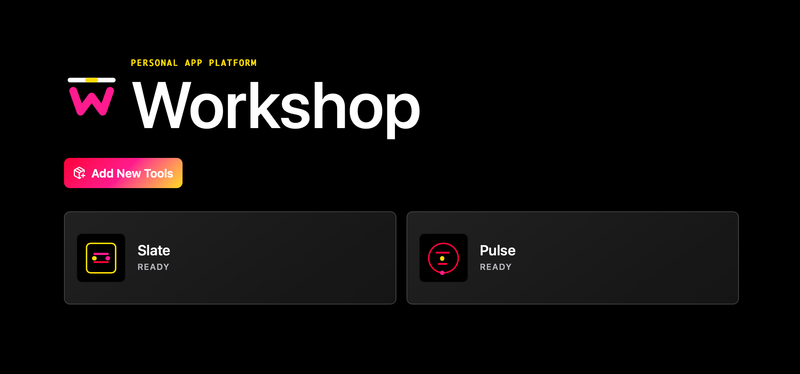
Workshop is where small, local-first tools live. Right now, that means Slate for the Markdown you keep reopening and Pulse for recurring things that can't quietly disappear because you got busy. Install what helps. Your files, credentials, and private systems stay yours.
Built for Apple Silicon Macs · No account required.
The thing no one says
Notes live in one app. Reminders live in another. Then someone suggests a dashboard, and suddenly you're maintaining the system that was supposed to maintain you. Very efficient. Very cursed.
Workshop is the home base
Workshop is the host. Slate and Pulse live inside it. Each does one narrow job and leaves the rest of your setup alone.
It starts empty on purpose. Add the tools you want. The rest stays out of your face.
Point it at the Markdown files you choose, then quit hunting through folders for the same reference doc.
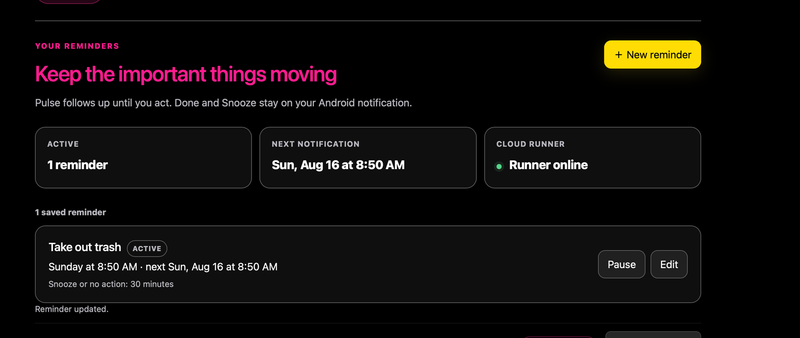
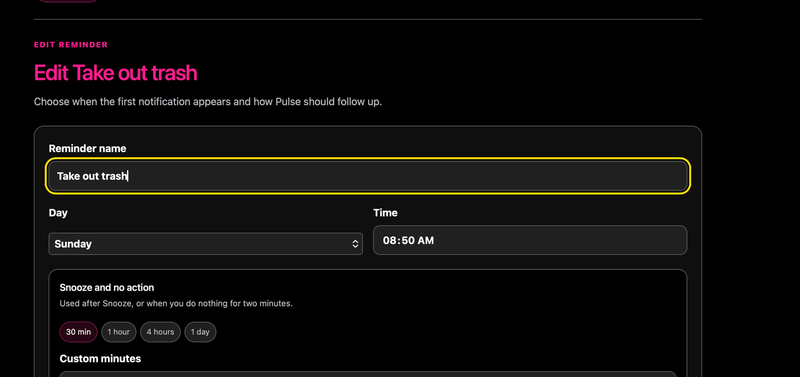
Give it a recurring reminder and it keeps following up through your private runner until you call it done.
Inside Workshop
Slate · local reference desk
Slate reads only the files you point it at, then gives them a sane place for tables, tabs, and the reference material that somehow keeps ending up in six Finder windows.
FAVORITES
ALL DOCUMENTS
Inside Workshop
Pulse · recurring follow-up
Pulse isn't a task manager or a guilt-powered calendar. It runs recurring reminders through a private runner and keeps notifying until you've marked the work done.
Privacy, because obviously
Slate reads the Markdown paths you declare. It doesn't scan nearby folders, hunt for fallbacks, copy a repository, or mirror anything to the cloud.
Pulse uses Workshop's narrow service capability. The credential stays in your operating-system keychain, where it belongs.
A fresh Workshop install is empty on purpose. Add Slate or Pulse when you want them. Remove either without touching the underlying data.
Open source. Still opinionated.
Workshop, Slate, and Pulse are open source. The GitHub repo has setup guidance and the public-safe source for all three.
Built for Apple Silicon Macs · No account required.